.png)
Guide to Vantage PAMM Registration
Step 1: Log into Vantage Website
Step 2: Navigate to https://secure.vantagemarkets.com/profile/transfer-ib-affiliate
Step 3:
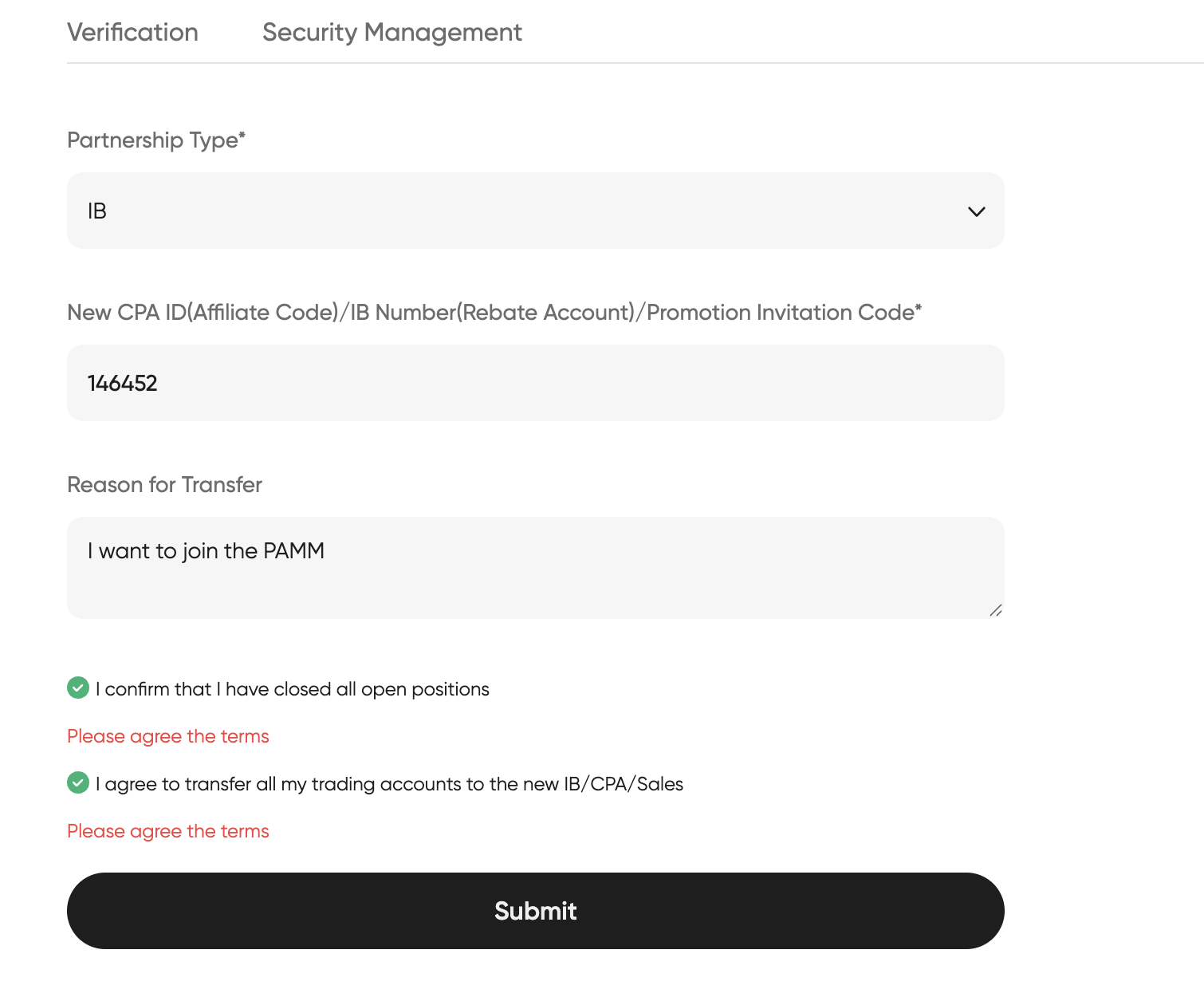
1. Change to "IB" Partnership type.
2. New IB Number: 7361850
3. Click I agree, and submit
Step 4:
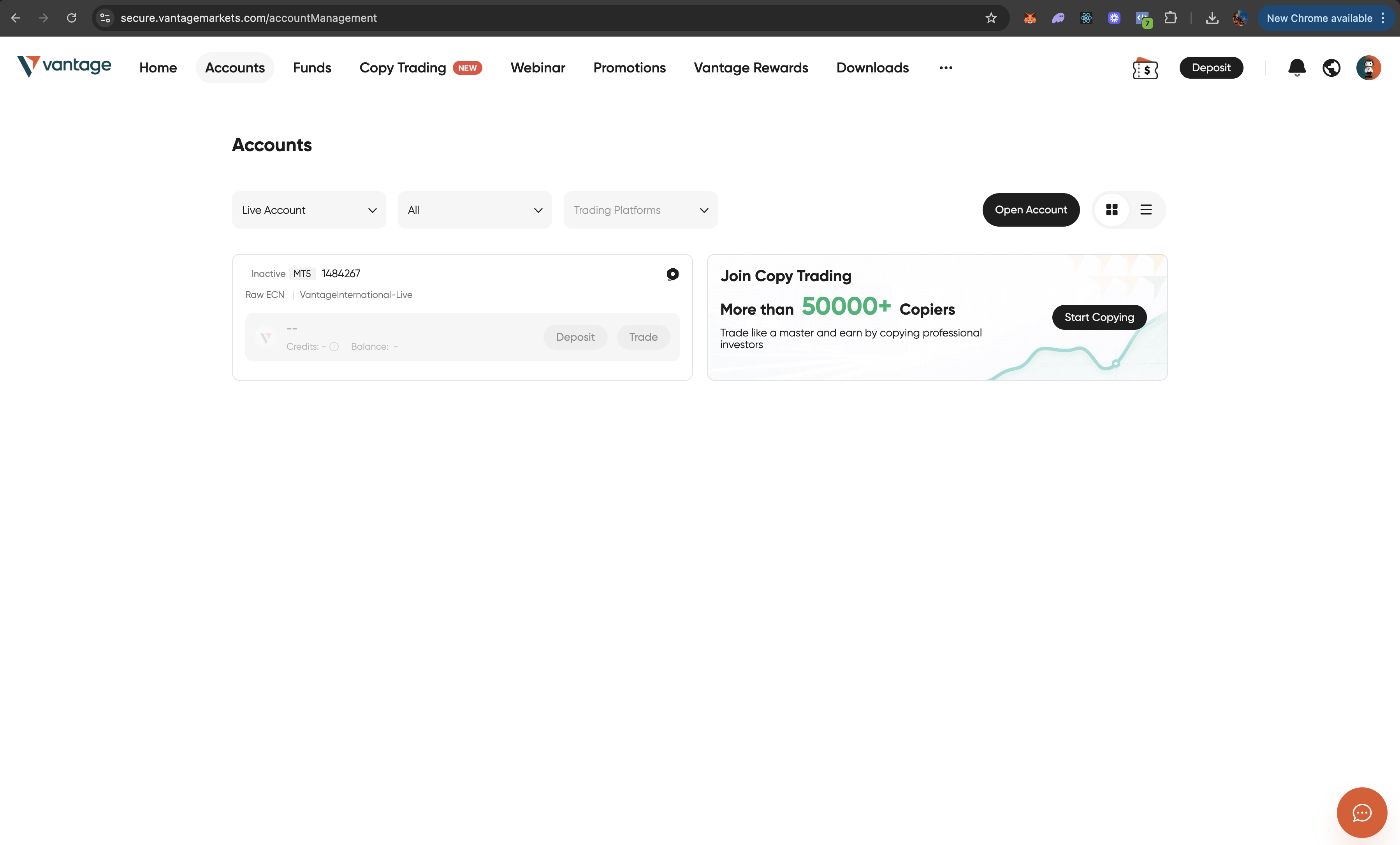
1. Navigate to accounts: https://secure.vantagemarkets.com/accountManagement
2. Open Account
Step 5:
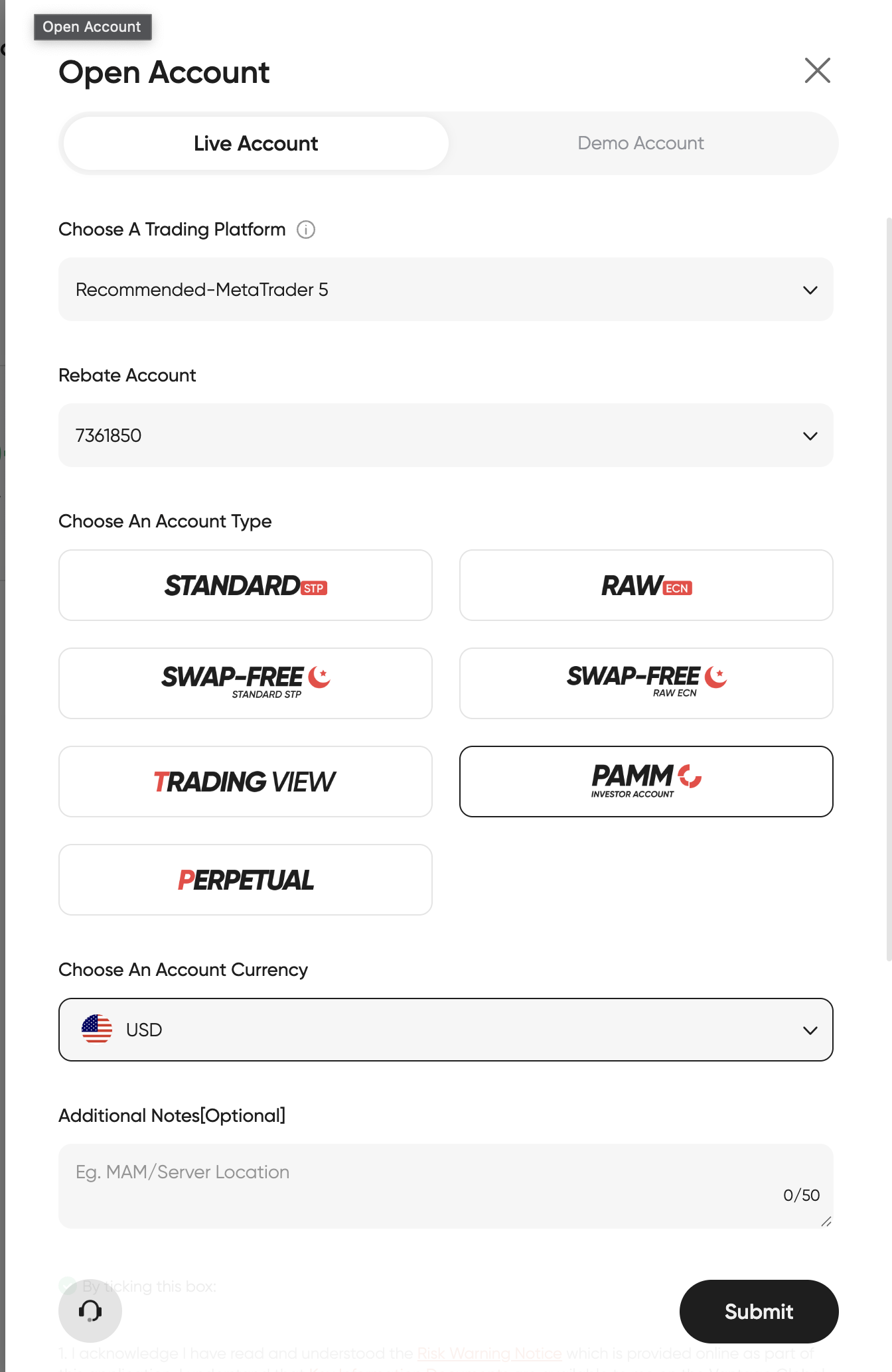
1. Open Live Account
2. Choose MetaTrader 5 platform
3. Account Type: PAMM Investor account
4. Currency: USD (important)
5. Agree to terms, and Submit
Step 6: Wait for your new account, and fund this account with a minimum of $3,000 (roughly €2600 or £2250 in equivelant currency)
Step 7: Navigate to: https://pamm16.vantagemarkets.com/app/join/980/rnzdasfr
Step 8:
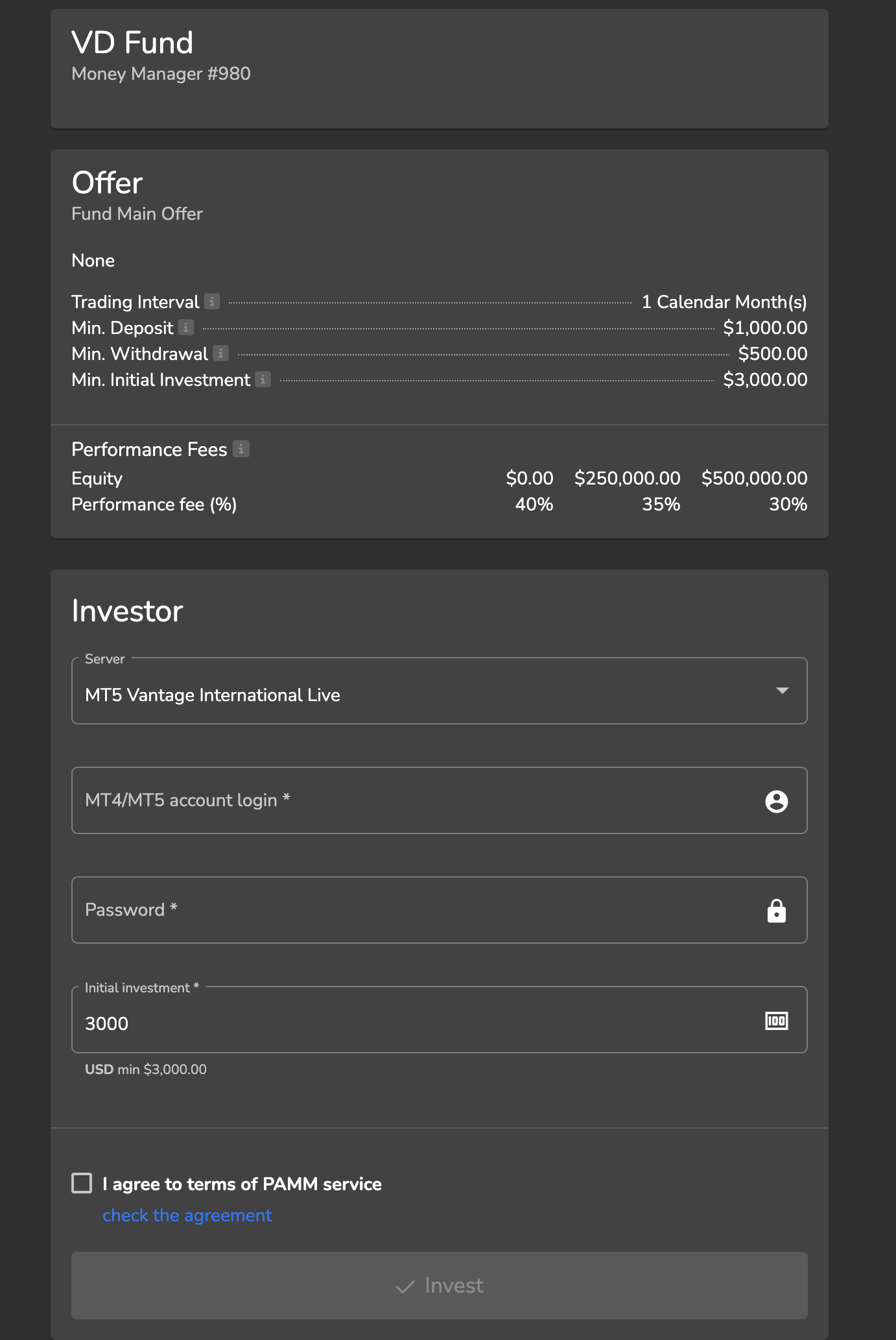
1. Login with your PAMM account details
2. Insert the amount in your PAMM Investor account.
3. Click Invest
(You also get reduction on Performance fee with higher deposits)
Step 9: To check your balance, trades, and performance please navigate to: https://pamm16.vantagemarkets.com/app/auth/investor
Now the strategy will automatically place trades on your behalf, and you can deposit/withdraw from within the link above.
If you have any questions, feel free to sent us a message.
By proceeding with this guide and investing in the PAMM account, the user acknowledges and agrees to the Terms of Service and Investment Agreements of both Vantage Global Prime Pty Ltd and Evolute Limited. All performance data presented is based on verified historical results and does not guarantee future returns. Investments carry risk, and past performance should not be interpreted as indicative of future performance. Evolute Trading operates in accordance with international financial regulations and adheres to strict capital protection and compliance standards to safeguard investor interests.
.svg)
Follow Us

